Email Extractor — Online, Free to Start, No Extension
An email extractor should be exactly this simple: type what you want — "coffee shops in Austin", a TikTok hashtag, an Instagram niche — and get back a CSV with the emails in their own column. No browser extension to install, no code to write, no page-by-page copy-paste. 1Scrape runs the whole job in the cloud and hands you the file.
The emails come from places people chose to publish them: Google Maps listings and the business websites linked from them, and the contact email creators put in their public TikTok or Instagram bio. Every new account starts with $5.00 in free credits — enough to pull your first list before you enter a card.
$5.00 free to start · no card required · failed runs are free
What lands in your CSV
One row per result, every field in its own column — no cleanup, no copy-paste. Here's the shape of the file you download:
| name | phone | website | rating | reviews | |
|---|---|---|---|---|---|
| Ridgeline Roofing | (214) 555-0132 | office@ridgelineroof.com | ridgelineroof.com | 4.8 | 126 |
| Cortez & Sons Roofing | (214) 555-0177 | — | no website | 4.6 | 83 |
| Summit Roof Co. | (972) 555-0119 | hello@summitroof.co | summitroof.co | 4.9 | 241 |
What it looks like
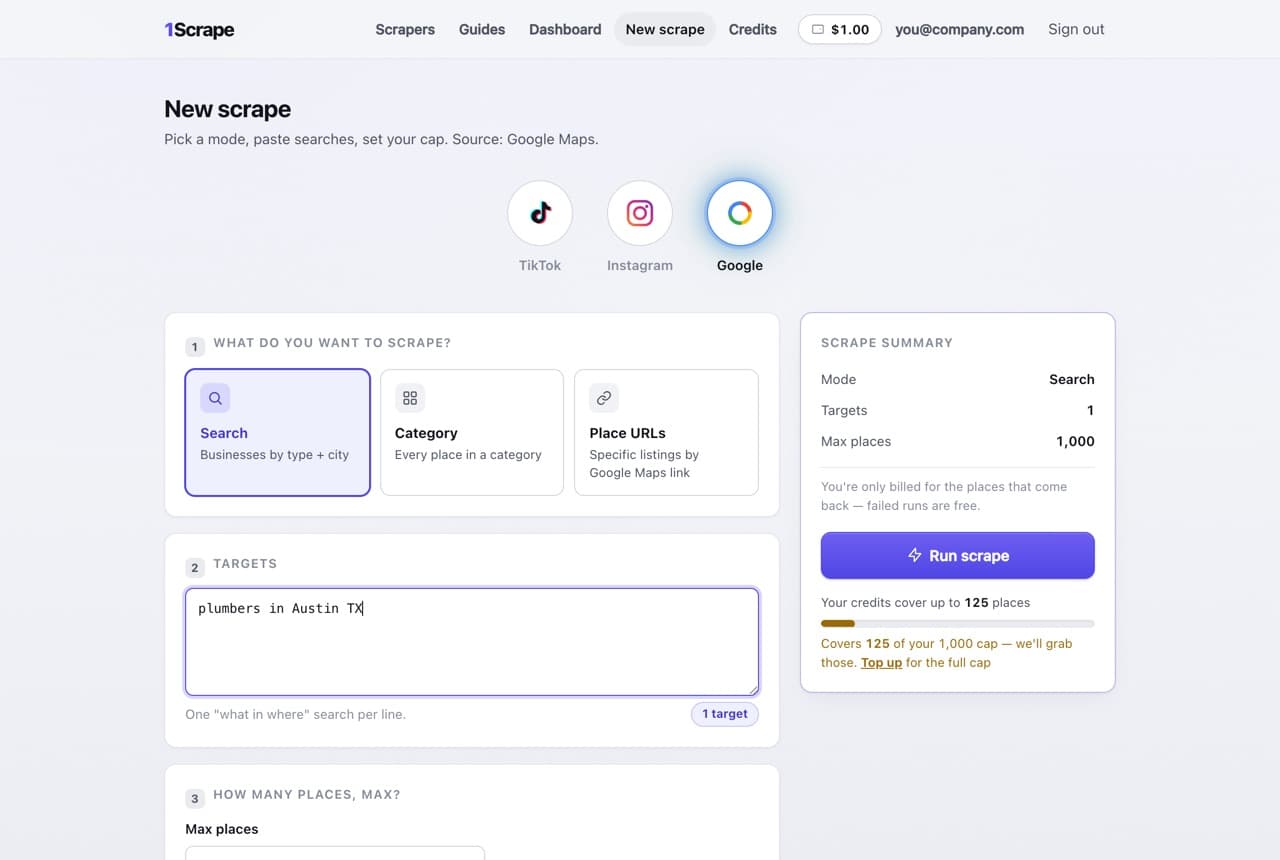
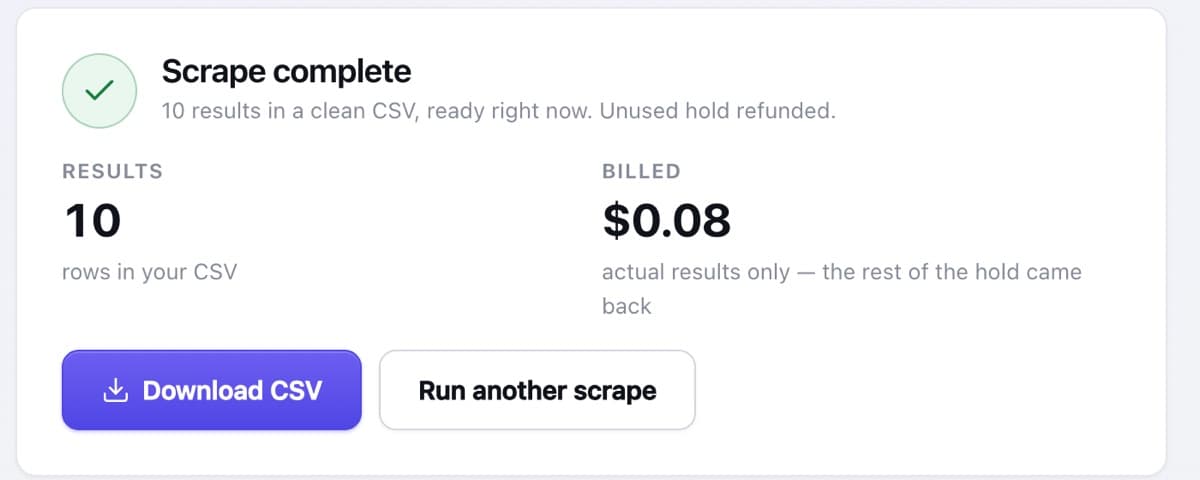
Where the emails come from
Every address in your CSV is read from a public page — never guessed, never bought from a database, never scraped from behind a login.
Google Maps listings
Run any "what in where" search and enrichment visits each business's own linked website to find its public contact email — alongside the listing's phone and address.
TikTok bios
Scrape a hashtag, keyword, or profile list and the business email a creator publishes on their public profile lands in the email column.
Instagram bios
Public bio emails and contact links from any niche, hashtag, or list of usernames — one creator per row.
Never guessed
If someone hasn't published an email, the column is simply empty. The extractor reads public pages; it doesn't invent addresses that bounce.
A free email extractor — the honest version
Most tools ranked for "free email extractor" are free the way a casino buffet is free. Here's our actual deal: every new account gets $5.00 in credits with no card required, and runs cost $8 per 1,000 results after that. The credits are enough to extract hundreds of real, contactable rows — a genuine free trial of the exact tool, not a crippled tier with the email column blurred out.
You're billed per result scraped, never for your full cap. If a run fails, it costs nothing, and the unused hold is refunded the moment a run finishes.
Why it's online, not a browser extension
Most "email extractor" tools are Chrome extensions, and they share the same failure mode: they scrape whatever your browser happens to be looking at. The moment the site changes its layout, the extension breaks; you scroll for an hour to load results; your browser is occupied the whole time; and the extension can vanish from the store overnight.
1Scrape runs in the cloud instead. You type the target, close the tab if you like, and the run keeps collecting — with a live counter when you come back and a CSV at the end. Nothing to install, nothing to update, nothing that dies with a site redesign you have to fix yourself.
Can it extract emails from a website?
Honest scope: 1Scrape is not a paste-any-URL crawler. It extracts emails from three sources — Google Maps, TikTok, and Instagram. But for the most common version of "extract emails from a website" — getting contact emails for local businesses — the Google Maps run does exactly that: it finds the businesses matching your search, follows each listing to the business's own website, and pulls the public contact email it finds there into your CSV.
If you need emails harvested from one specific arbitrary site, a general-purpose crawler is the right tool. If you need a contactable list of businesses or creators, this is faster — one search instead of one site at a time.
How it works
Type what you want
A Google Maps search, a TikTok hashtag or keyword, or an Instagram niche — one short form, no setup.
Flip the email filter
Turn on "only results with an email" so every row in the file is contactable. You're billed per result scraped; the filter keeps the matches.
Watch it run live
Results stream in with a live counter — in the cloud, not in your browser tab.
Download the CSV
Emails in their own column beside name, phone, and profile or website links. Unused hold refunded on the spot.
Frequently asked questions
Is there a free email extractor that actually works?
Every new 1Scrape account starts with $5.00 in credits and no card required — enough to extract hundreds of results and judge the tool on your own data. After that it's a flat $8 per 1,000 results with no subscription. Failed runs are free and the unused hold on every run is refunded.
Do I need to install a Chrome extension?
No — there's nothing to install at all. 1Scrape runs in the cloud from a single form in your browser. A Chrome extension is on the roadmap; create a free account and you'll be first to know when it ships, with $5.00 in credits to use meanwhile.
Can it extract emails from any website?
No, and we'd rather say so plainly: it covers Google Maps, TikTok, and Instagram. For local businesses, the Google Maps run follows each listing to the business's own website and extracts the public contact email there — which covers what most people pasting a URL into an email extractor are actually trying to do.
Where do the emails come from?
From public pages only: the business website linked on a Google Maps listing, or the contact email a creator publishes in a public TikTok or Instagram bio. If no email is published, the column stays empty — the extractor never guesses or generates addresses.
How much does it cost?
Runs are priced at $8 per 1,000 results, and every new account starts with $5.00 in free credits — enough to pull thousands of rows before you pay anything. You're billed per result scraped — never for your full cap — and the unused hold is refunded the moment a run finishes. If you use a lead filter like "only profiles with an email", the CSV keeps just the matches while you still pay per profile scraped. If a run fails, it's refunded in full and never costs a credit.
Is extracting emails legal?
The addresses collected are ones people and businesses chose to publish on public pages — never private or login-gated data. How you use them still falls under laws like CAN-SPAM, GDPR, and CCPA, so keep outreach relevant, identify yourself honestly, and honor opt-outs. General information, not legal advice.